
4.7/5 · 1,500+ ratings
Your club's race calendar builds itself
In Epeak's race calendar, search thousands of running, trail running and triathlon races by name or around a place, on the web or the app. One club calendar shows who's racing what.
Create your club for free →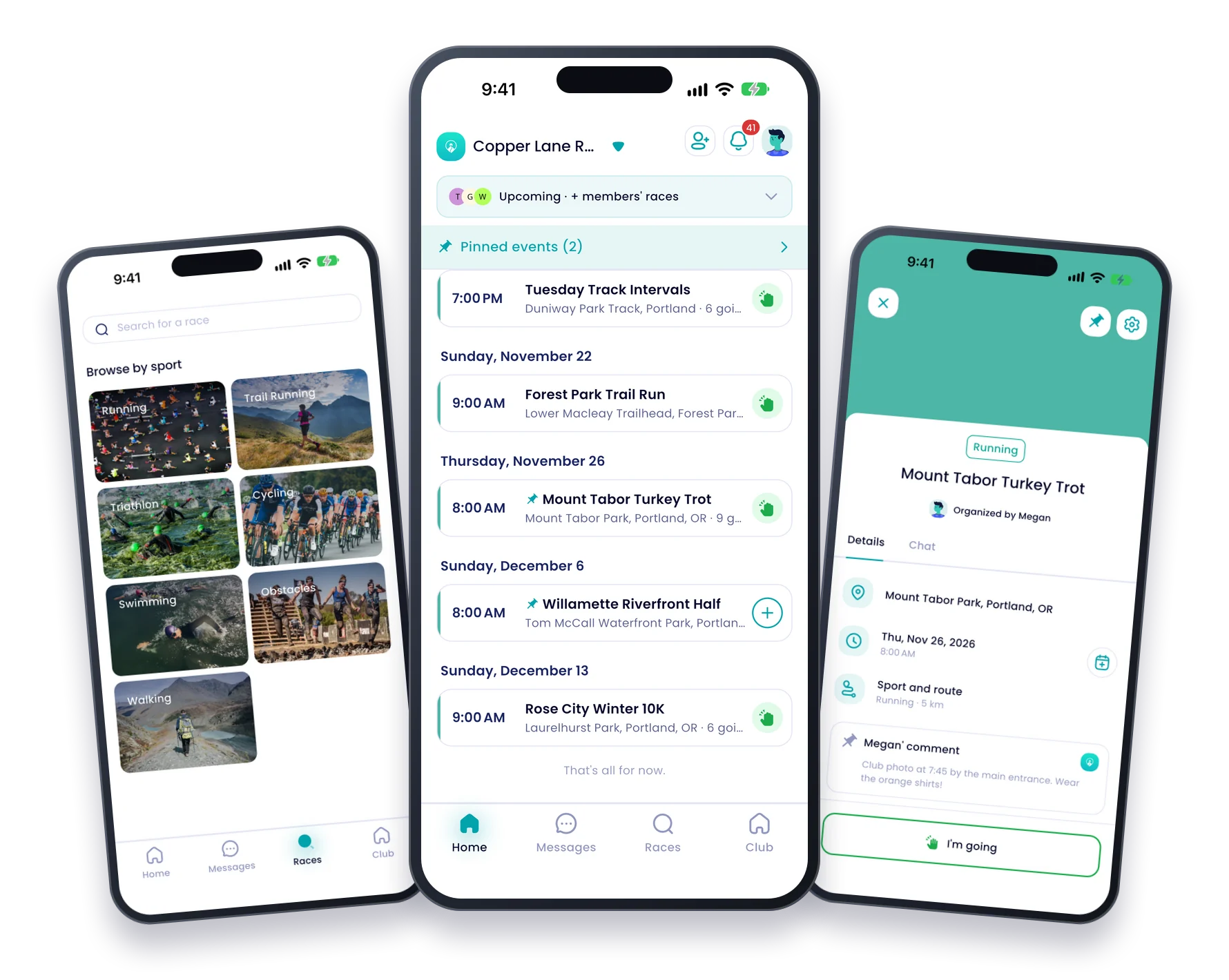
Used every day by 20,000+ endurance athletes to train with their club












Nobody has to keep the race list up to date
Members find their races. The club calendar fills itself.
Searchable
However little you remember, the race turns up.
Automatic
The calendar keeps up with what members actually enter.
Maintained
A missing race gets added, a wrong date gets fixed.
How a race gets from the calendar to your club
Race search
Type a name, or search around a place
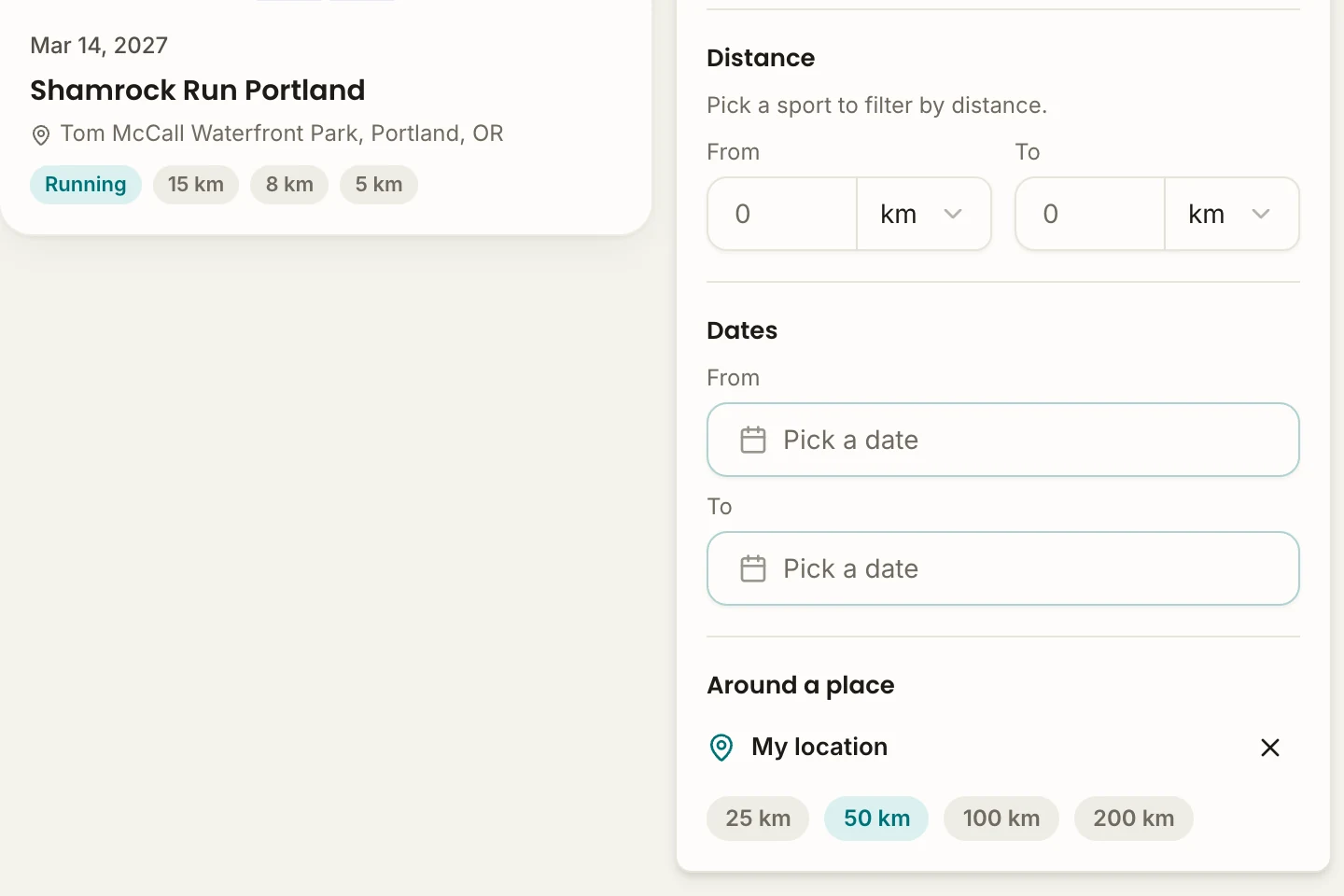
Somebody mentions a race at Tuesday training, and by Thursday it's forgotten. On the web or the app, type the fragment you remember, open the race, and see which clubmates are already in. Nobody hunts for the link.
- Narrow it by sport, distance and dates
- Around any place, within 25 to 200 km
- A name, a place or an organizer finds it
Interactive map
Pick a sport, then browse the map
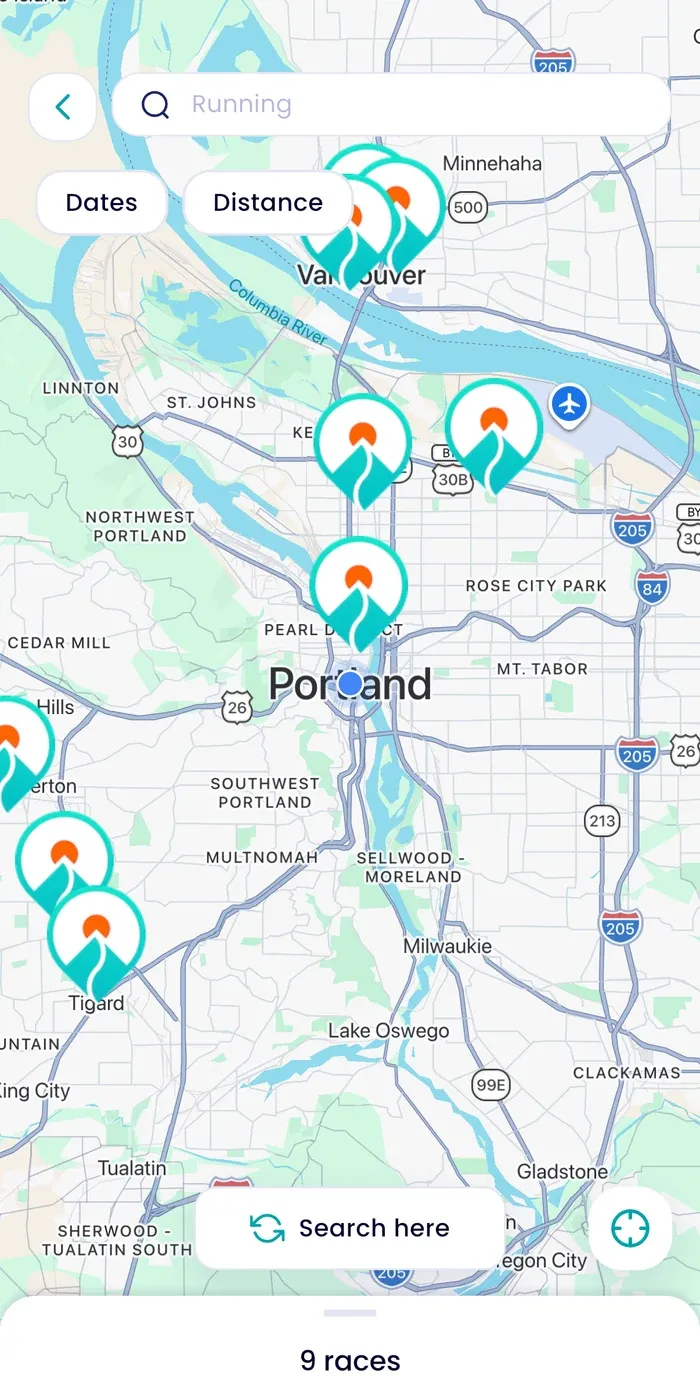
The club is heading south for a spring camp and wants a race that weekend. In the Epeak mobile app, pick the sport, move the map to the region, select Search here. Every race in view is listed underneath.
- Only races on the weekend you are free
- By distance, or by format like short trail
- Both filters stack, so the list gets short fast
Club calendar
One answer, and the race is on the club calendar
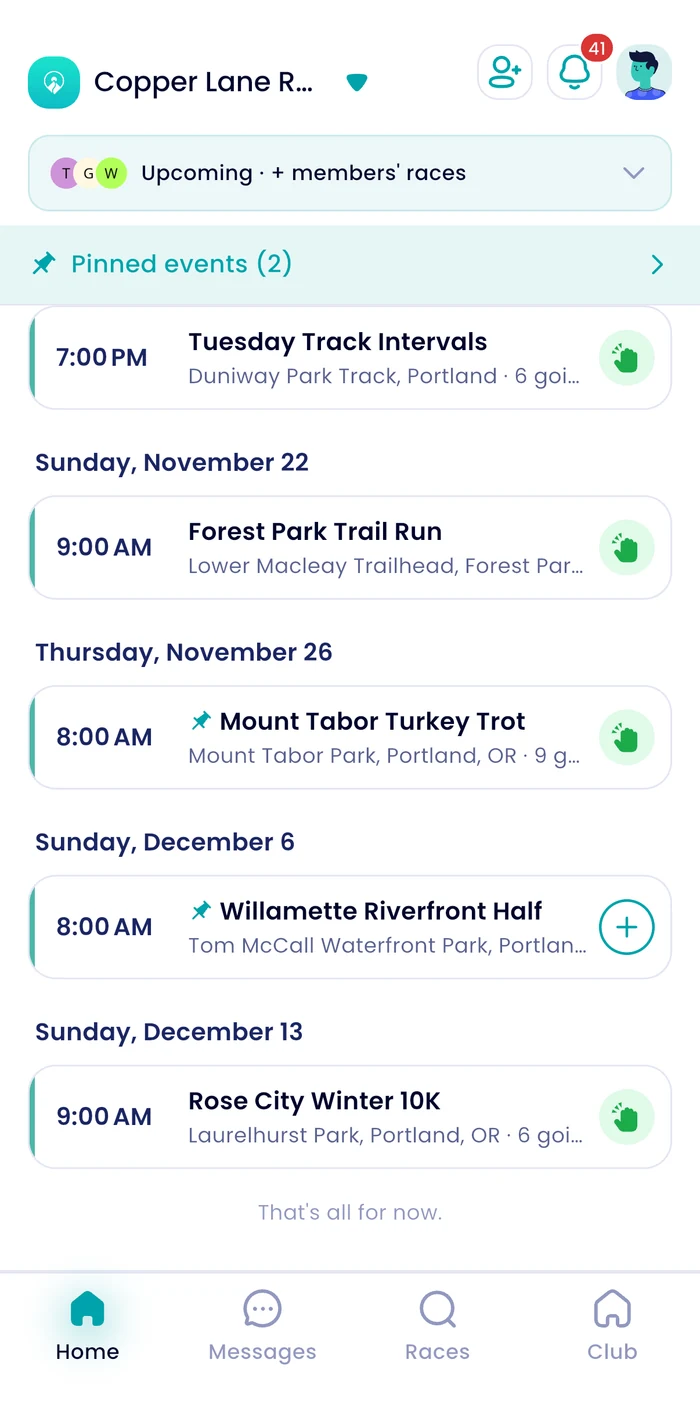
A member finds a race late one evening. One answer, Interested or I'm going, and it shows up on the club calendar under Members' races. No admin in the loop, no group to set up.
- Filter members' races by sport
- Interested while you decide, I'm going once you're in
- Drop your status, and an empty race leaves the calendar
Missing races
Can't find the race? Ask, and it gets added
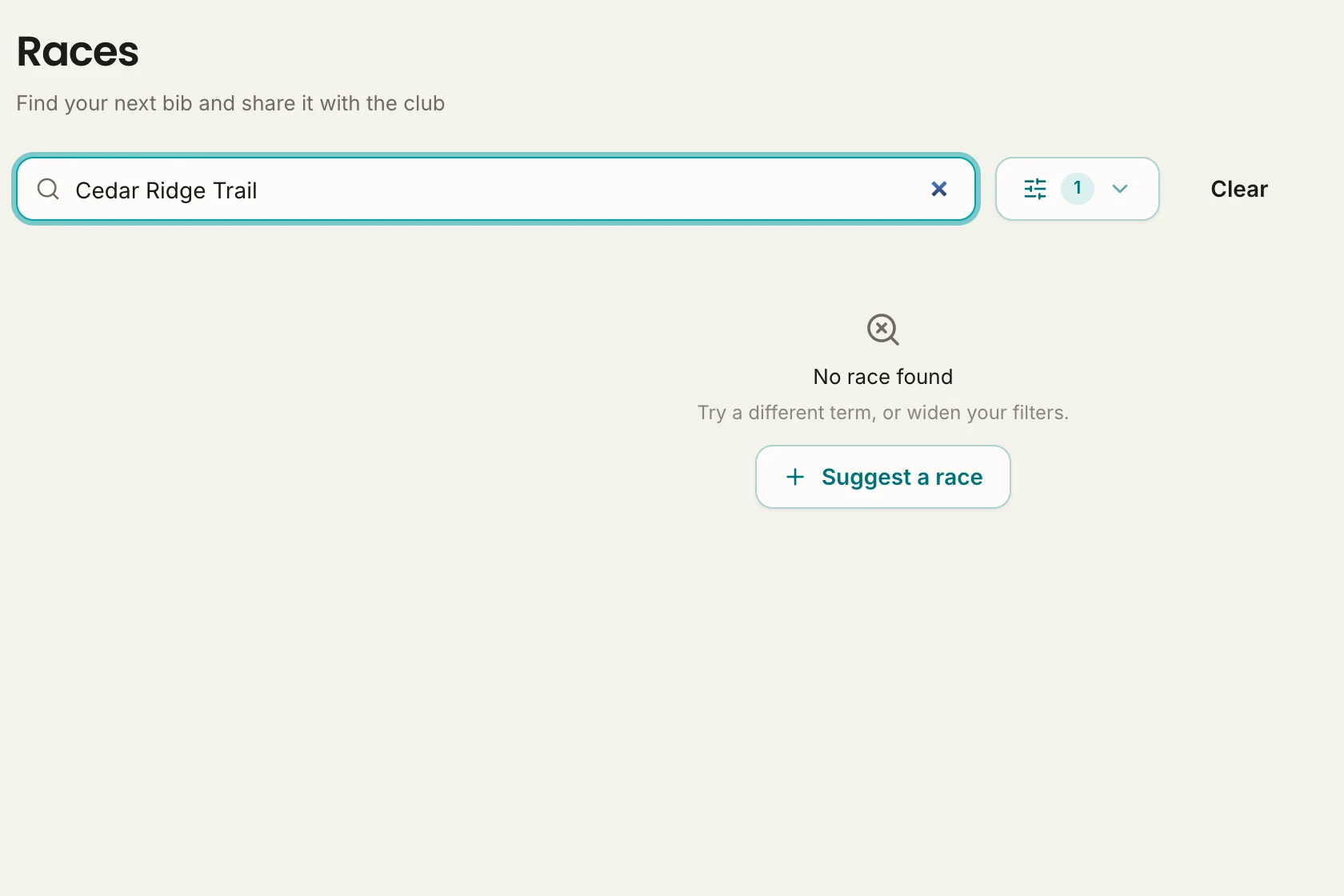
The local half marathon the club is targeting isn't listed, and entries close Friday. Search for it, and when nothing comes back, select Suggest a race on the web or Add a race in the mobile app. A short form, and the Epeak team adds it.
- Spot a wrong date? Ask for a correction
- The Epeak team checks every request
- A fix made once reaches every club
Try it with your own club
Create your club for free →Building a new generation of clubs across the globe
Club leaders and coaches rely on Epeak to keep their members engaged.
We grew to several hundred members in a few months. Epeak is how we kept up: every meeting point and workout is set in the app, not lost in a giant group chat.

Adam
Founder and Run Club Leader at Harbat Running Lab
We wanted a community tool actually built for endurance sports. Epeak does that, and it runs our membership payments and our coached sessions too, single or unlimited, all in one place.

Chris
Founder and Head Coach at The Endurance Edge
Epeak has simplified our club management, making it easy to coordinate training sessions, plan off-trail trips, and organize races while keeping members engaged.

Florian
Trail Runner and Board Member at Marseille Trail Club
It can be extremely difficult to keep track of when everyone is racing. Epeak's race calendar solved that, and the event calendar keeps our group workouts and long runs in front of the whole team.

Seth
Team Director at Fitness Sports Distance Project
We have saved time in managing our athletes. Sharing training sessions is now simpler, reducing the need to answer repetitive questions.

Benjamin
Group Leader at EFS Reims Athlétisme Track Club
Epeak has transformed how we engage our triathlon community. Simple, effective, and built for endurance sports. Highly recommended!

Marcelo
Head Coach at Tri2One Miami
Frequently asked questions
Where do the races in the calendar come from?
The Epeak team maintains the calendar, so every club sees the same clean listing rather than its own half-filled copy. Members can't edit a race directly, but they can ask for one to be added or corrected from inside Epeak, and the team handles it.
The race we're targeting isn't listed. What then?
Search for it. When nothing comes back, select Suggest a race on the web, or Add a race in the Epeak mobile app, and fill in the short form with what you know about it. The Epeak team checks the request and adds the race to the calendar, for your club and every other.
What's the difference between Interested and I'm going?
Both put the race on the club's calendar, under Members' races. The difference is what your clubmates read: Interested means you're considering it, I'm going means you're in. You can change your mind or drop your status at any time, and a race with nobody left on it comes off the calendar.
Do we have to set anything up for races to reach our calendar?
No. As soon as a member marks a race Interested or I'm going, it appears on the club calendar under Members' races, whatever the sport. When you create the club, Epeak also suggests the ten nearest upcoming races within 100 km, so the calendar doesn't start empty. An admin can still pin a race the whole club is targeting.
A race has the wrong date. Can we get it fixed?
Yes. Select Report a correction on the web, or Edit the race in the Epeak mobile app, and describe what's wrong: the date, the name, the location, the distance. The Epeak team checks and applies it, and the correction reaches every club at once.
Which sports does the calendar cover?
Running, trail running, triathlon, cycling, swimming, obstacle races and walking. Pick the sport first, and the distance filter adjusts to it.