
4.7/5 · 1,500+ ratings
Club member management without the scattered files
With Epeak, your whole club sits on one member list. Invite everyone from one file, keep the details your club has to hold, and give each person the rights they need, and no more.
Create your club for free →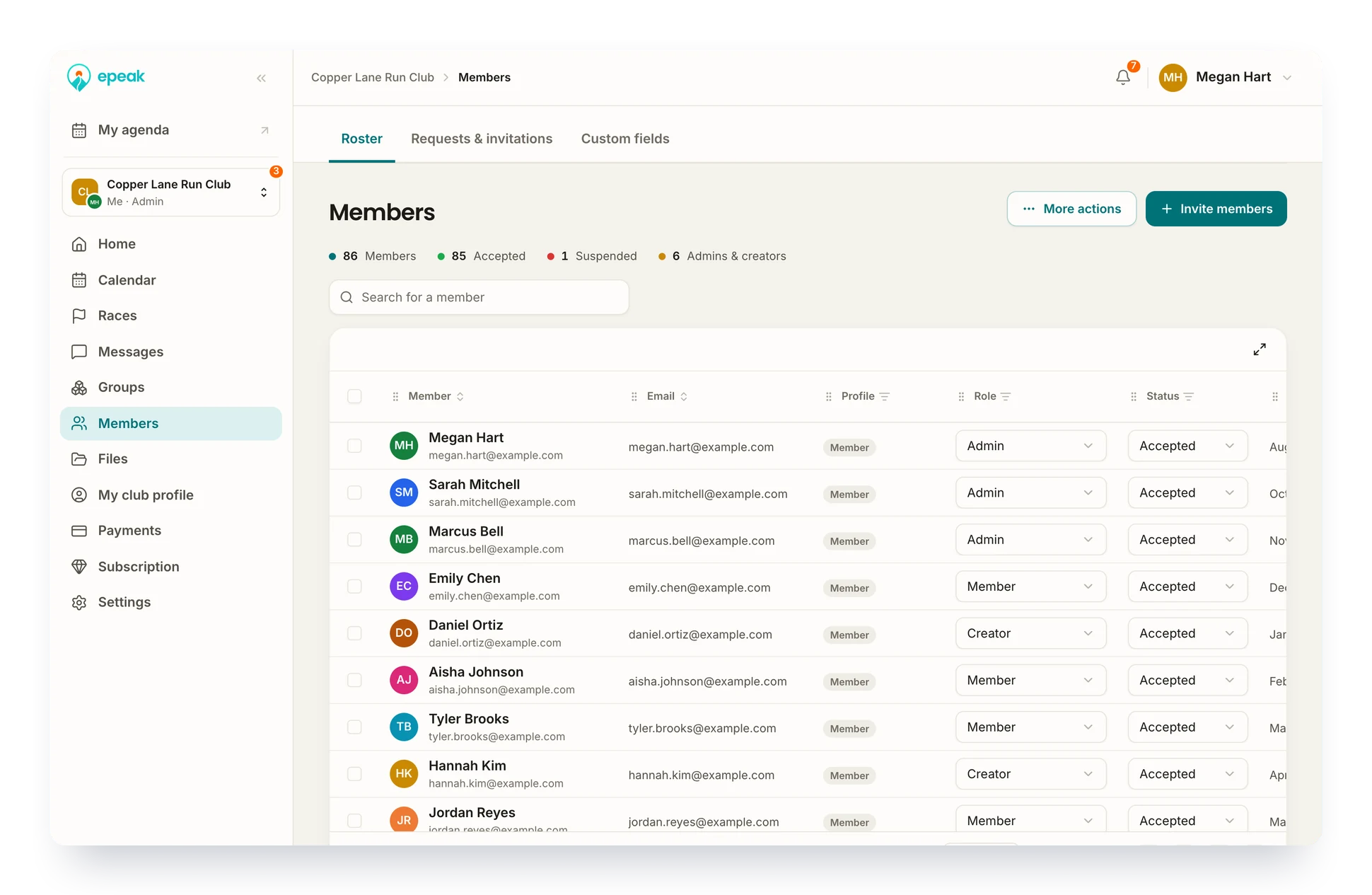
Used every day by 20,000+ endurance athletes to train with their club












The whole club, on one list
Invite, update and export your members in a few clicks. No more list stuck on one volunteer's laptop.
Centralized
Members, their groups, their roles and your own fields, side by side.
Portable
In by file, out by file. Nothing gets retyped one row at a time.
Controlled
Only admins run the list: invitations, imports, roles and removals.
What your admins do with the list
Invitations
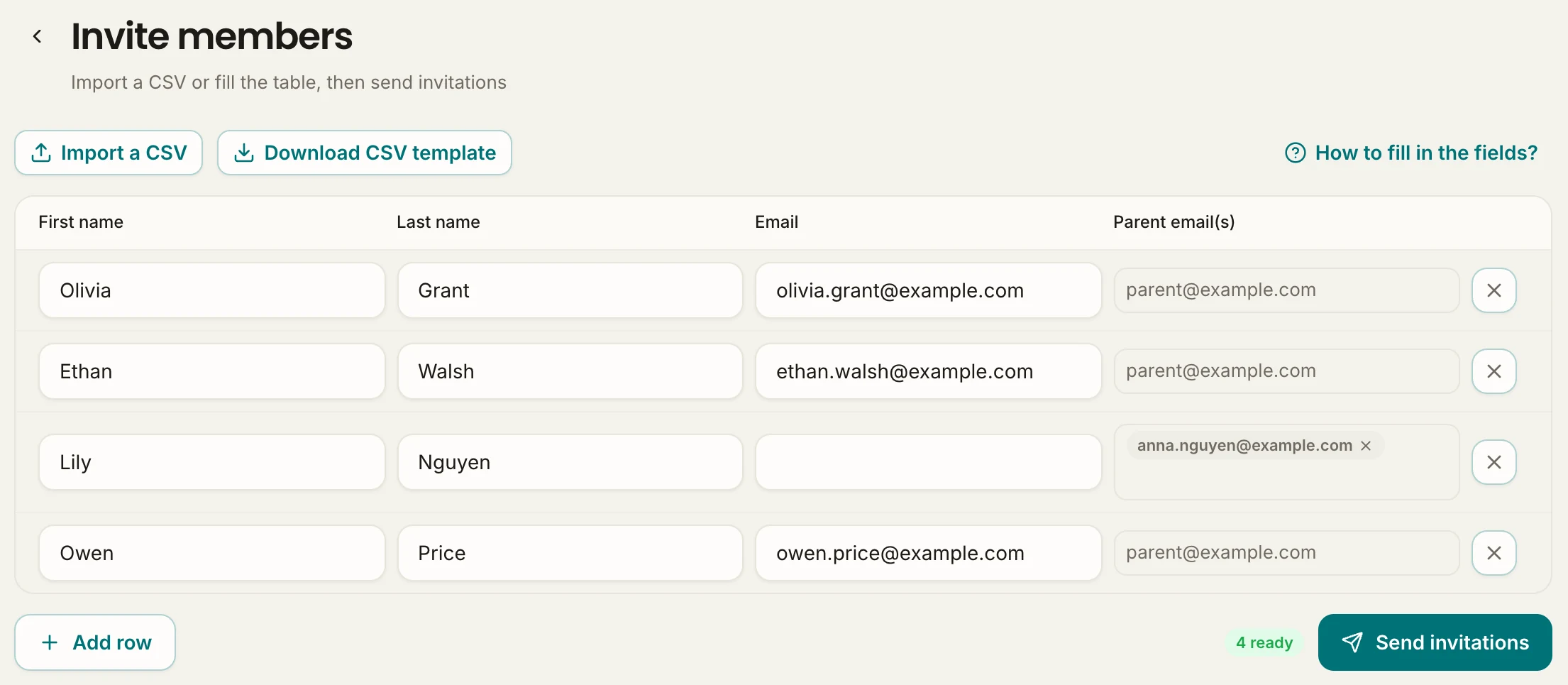
Invite the whole club in one go
Last season's file holds every name, and nobody is going to email them one by one. Drop that file on the invite screen. Each address gets its invitation in a single send.
- A CSV template that gets the columns right the first time
- A share link and a five-character club code for anyone the file missed
- Newcomers let straight in, or held until an admin approves them
Custom fields
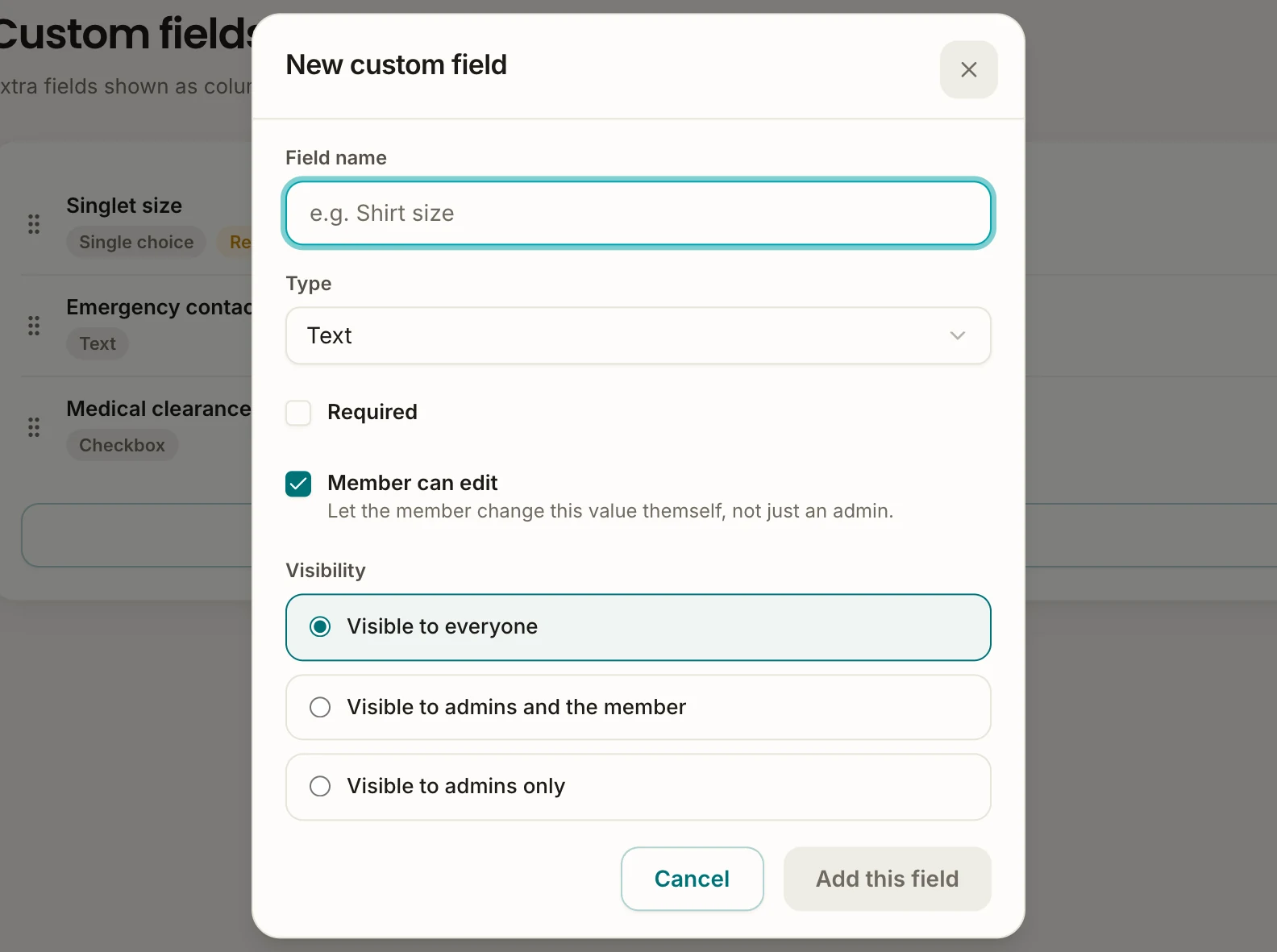
Hold what your club actually has to keep
License numbers in one file, emergency contacts in another, certificates lost in someone's inbox. Add your own fields to the member profile. It all sits in one place, on the member it belongs to.
- A VO2max or a certificate date, each in a field built for it
- Required fields, so no profile stays half empty
- Members fill in their own details, where you allow it
Bulk updates
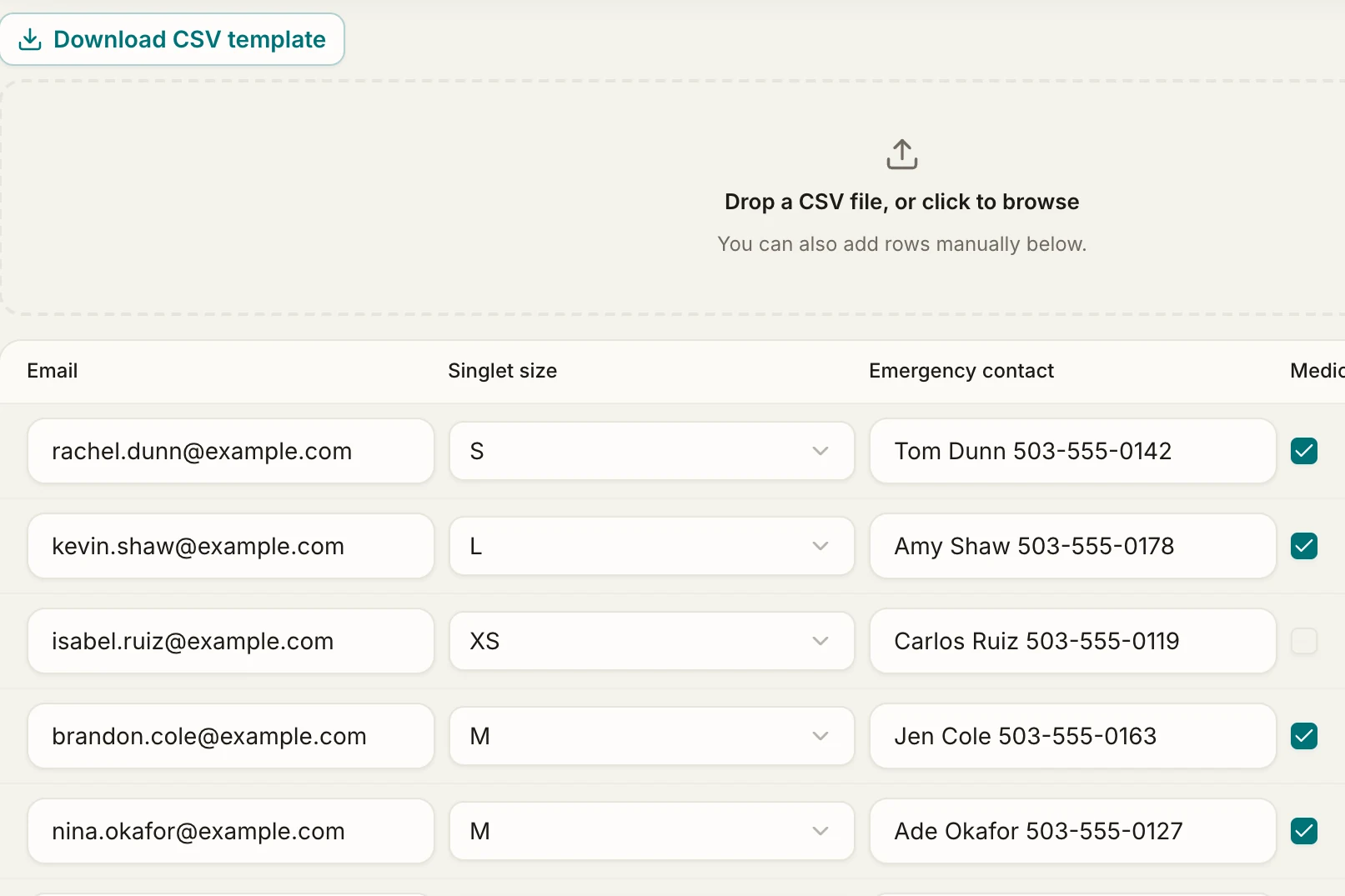
Update two hundred members from one file
New season, new license numbers, and every profile to open one at a time. Export the list, edit it in a spreadsheet, import it back. The whole club is updated in one pass.
- Members matched by their email, never created twice
- A preview before anything is saved, so a bad file costs nothing
- Export only the fields you need, and keep your own copy
Roles
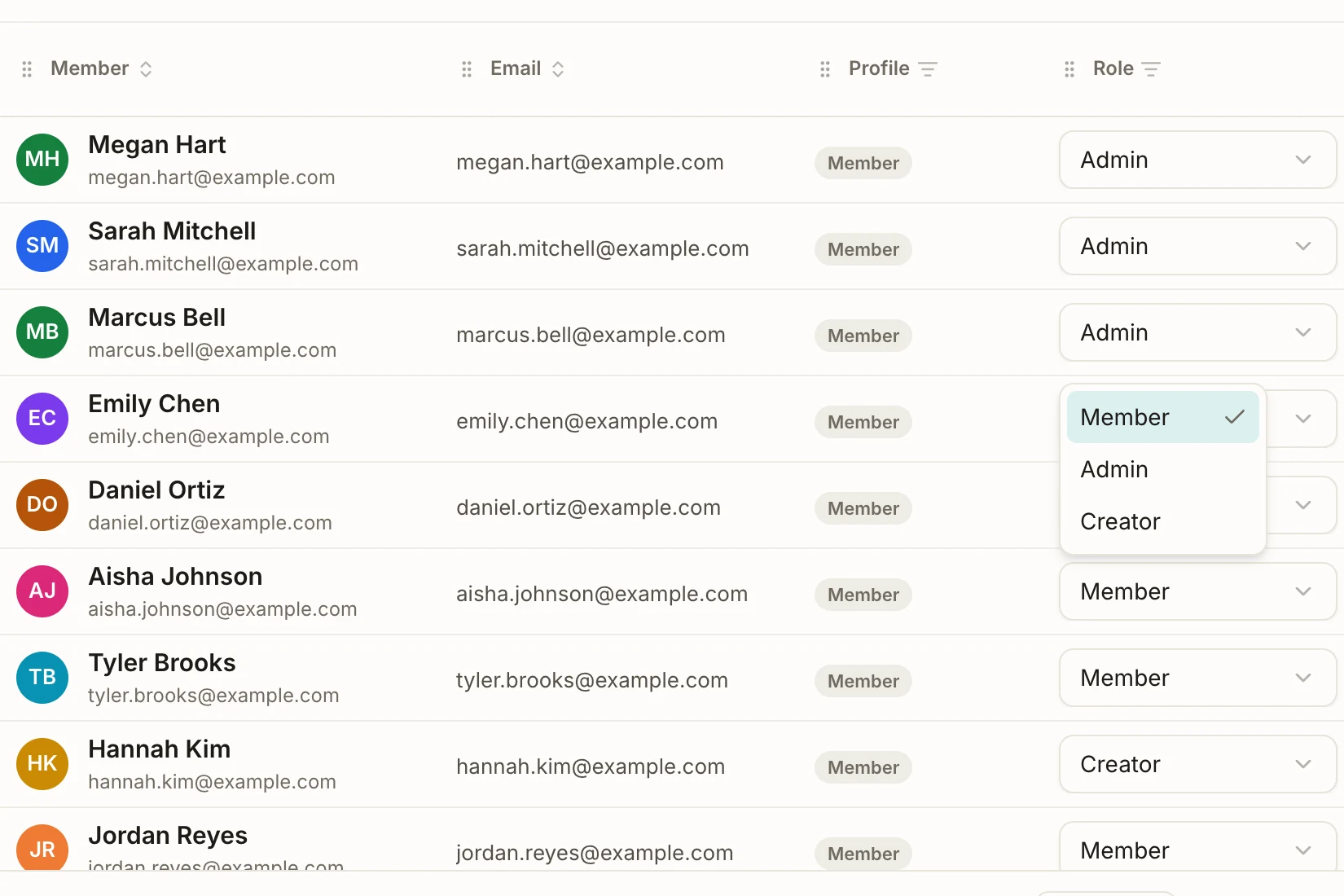
Decide who can do what
Only coaches should create sessions in the track group, and admin rights would open them the whole club. Make them Creators: they schedule where you allow it, and the admin space stays shut.
- A role changed from the list, in effect at once
- Several admins, so the club never rests on one person
- Back to Member in one click when someone steps down
Try it with your own club
Create your club for free →Building a new generation of clubs across the globe
Club leaders and coaches rely on Epeak to keep their members engaged.
We grew to several hundred members in a few months. Epeak is how we kept up: every meeting point and workout is set in the app, not lost in a giant group chat.

Adam
Founder and Run Club Leader at Harbat Running Lab
We wanted a community tool actually built for endurance sports. Epeak does that, and it runs our membership payments and our coached sessions too, single or unlimited, all in one place.

Chris
Founder and Head Coach at The Endurance Edge
Epeak has simplified our club management, making it easy to coordinate training sessions, plan off-trail trips, and organize races while keeping members engaged.

Florian
Trail Runner and Board Member at Marseille Trail Club
It can be extremely difficult to keep track of when everyone is racing. Epeak's race calendar solved that, and the event calendar keeps our group workouts and long runs in front of the whole team.

Seth
Team Director at Fitness Sports Distance Project
We have saved time in managing our athletes. Sharing training sessions is now simpler, reducing the need to answer repetitive questions.

Benjamin
Group Leader at EFS Reims Athlétisme Track Club
Epeak has transformed how we engage our triathlon community. Simple, effective, and built for endurance sports. Highly recommended!

Marcelo
Head Coach at Tri2One Miami
Frequently asked questions
Can we import our members instead of adding them one by one?
Yes. Download the CSV template, fill in the email column, and import the file: every address is added and receives an invitation. Members then create their Epeak account with that same email, and they land in your club without entering a code.
How can people join the club without an invitation?
Share the club link, or its five-character code. Anyone who opens the link can ask to join, and the code is entered from Join a club, on the web or in the app. With the code, you choose whether newcomers get straight in or wait for an admin to approve them. If the link travels further than you meant, generate a new one.
What does a bulk update change, and what does it leave alone?
It changes your custom fields and nothing else. Each member is recognized by their email. First name, last name, email, role and status stay as they are, even if the file contains them, and no new member is ever created. Column names have to match your field labels exactly, which is why starting from an export is the safest route.
What kind of information can we keep on each member?
Whatever your club needs, in eight field types: text, long text, number, date, email, checkbox, single choice and multiple choice. Any field can be made required, and members can fill in the ones you open to them from their profile, while admins edit everything from the web.
What is the difference between an admin and a Creator?
An admin has the whole web admin space: members, groups, events, payments and settings. A Creator has no access to that space, but can create events in groups limited to admins and event creators, and edit any event in the club. In a group left on its default, every member can already create events, so the role only matters where you have narrowed it.
Can we get our member list back out?
Yes, whenever you want. The export is a CSV that opens in Excel or Google Sheets, with the standard details and every custom field, or only the fields you pick. Your list leaves as easily as it came in.
Should we remove or suspend a member?
Suspend when it is a pause. The member stays in the club but cannot reach it, and gets everything back, messages and history included, the moment you reactivate them. Remove them when they have left: they leave the club, keep their Epeak account, and need a new invitation to return.